✿ hi, i'm

Siya Saini

CX & Product Designer · Customer Journey Mapping · User Research · Design Systems · B2B SaaS · Delhi, India

i design customer journeys that cut real pain points, dashboards that don't make people cry, and design systems that survive sprints. user-centered work tied to conversion and business impact. 3+ yrs · Delhi · open to fun briefs ✿

looking for a CX designer who gets your brand voice & designs user journeys that cut real pain points? say hi ✦
Siya Saini, CX and product designer in Delhi, India ✦ ♡ ✿
Siya Saini · she/her 📍 Delhi NCR · IN

experience

UI/UX Designer Jan 2022 to Present
AVL India Pvt. Ltd.
  • Enterprise dashboards for KPI tracking, downtime analysis & Andon monitoring.
  • Built scalable design systems: reusable components, type, color, interaction patterns.
  • Production-monitoring and machine-plan viz; improved operational visibility by 35%.
  • iPad-compatible Digital Log Sheet: manual entry time down 40% across shifts.
  • Designed OEE monitoring interfaces to surface downtime trends and inefficiencies.
UI/UX Designer Intern Oct 2021 to Jan 2022
Bhumi ITech Pvt. Ltd.
  • Responsive web & mobile interfaces for B2B / B2C platforms.
  • User research, usability improvements & stakeholder reviews.
  • Wireframing, prototyping & dev handoff using Figma + Zeplin.

skills

Typography User Research Information Architecture User Flows Wireframing Prototyping Interaction Design Usability Testing Design Systems Dashboard Design Data Visualization Responsive Design Accessibility Agile Collaboration

typography · in practice

pairs that ship · serif × sans × mono × hand-drawn · with a real type ramp behind every dashboard.

tools

Figma Adobe XD Illustrator Photoshop Zeplin Jira Miro Framer AI Galileo AI Notion AI
✦ free design audit ✦

your product deserves a glow up.

a complimentary 20-min session where i'll review your UX in the kindest possible way and leave you with a roadmap. your competitors hope you scroll past this.

grab a free slot calendly.com/siya-cxdesigner/connect ↗
  • ✓ honest UX review with no slide-deck fluff
  • ✓ quick wins you can ship this week
  • ✓ roadmap for the redesign you've been putting off
  • ✓ limited slots / month
or email · [email protected]
✿ selected case studies ✿

real product & UX case studies.

A self-initiated product-and-UX concept, plus design work for a live enterprise AI product.

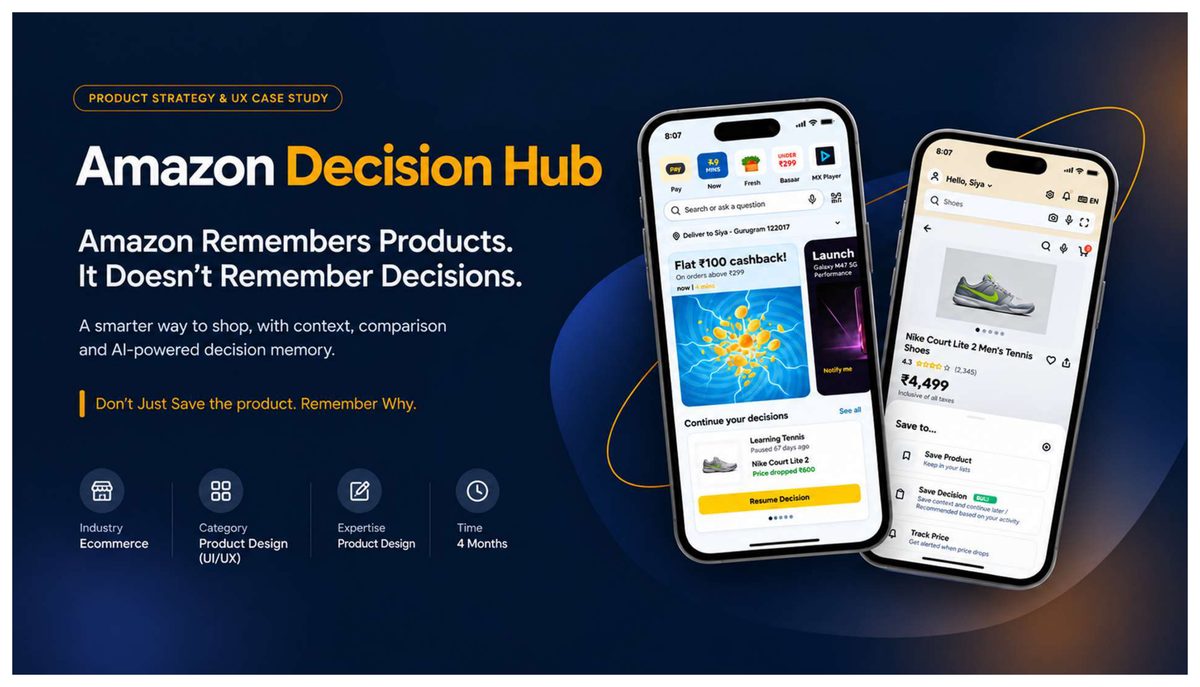
Amazon Decision Hub case study cover: two phone screens showing a decision-memory layer with a Continue your decisions card and a Save Decision drawer. Case study · PDF · 35 pages

Amazon Decision Hub

Amazon remembers products. It doesn't remember decisions.

  • Role: Product & UX Design
  • Domain: E-commerce, mobile app
  • Duration: 4 months
  • Process: Double Diamond, research to prototype
  • Turns a static wishlist into a context-aware decision tool.
  • Decision Snapshot recalls goal, budget, confidence and the alternatives compared.
  • Optional, AI-assisted saving that stays fully editable and user-controlled.
  • Measured on decision resumption time, context recall and decision confidence.
Read the full case study ↗ opens the 35-page PDF

Amazon Decision Hub is a self-initiated product and UX case study that rethinks how shopping apps handle saved products. A wishlist today remembers the product but forgets the decision: why you saved it, what you compared, and how confident you were. Days later, shoppers cannot recall why they shortlisted one option over another, so they restart research or abandon the cart. This project designs a decision-memory layer that captures shopping intent at the moment of saving, so people can resume a purchase decision later instead of starting over.

Grounded in qualitative user research, the work shifts the experience from product recall to decision recall. A Decision Snapshot surfaces goals, budget, confidence and comparison history first; an optional, AI-assisted Save Decision infers context with minimal effort; and every AI-inferred field stays editable, so the user stays in control. It runs end to end: problem framing, competitive analysis, user flows, low-fidelity wireframes, a design system and an interactive prototype, plus the success metrics that would prove decision resumption, context recall and decision confidence.

Product Strategy UX Research Interaction Design AI UX Design Systems Prototyping
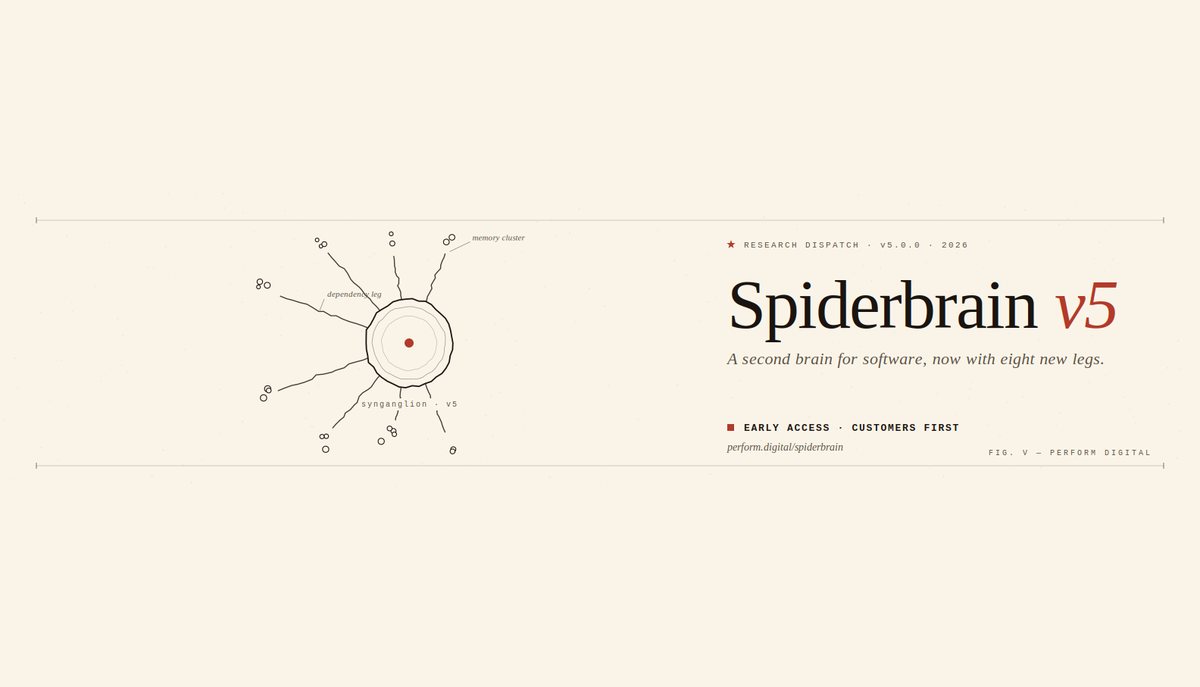
Spiderbrain: a deterministic AI memory and context layer, shown as a synganglion diagram with dependency and memory legs. Live product · spiderbrain.ai

Spiderbrain

Making a deterministic AI memory layer understandable and trustworthy.

  • Role: CX & Product Design
  • Domain: Enterprise AI, SaaS
  • Type: Live product (Perform Digital)
  • Focus: Narrative, IA, trust
  • Turns an abstract "context layer" into a story buyers can follow.
  • Before-and-after framing: from no shared brain to one governed answer.
  • A consistent visual language for memory, dependencies and blast-radius risk.
Visit spiderbrain.ai ↗ opens the live product site

Spiderbrain is an enterprise AI product from Perform Digital: a deterministic memory and context layer that gives agents reproducible answers, blast-radius analysis, and governed, versioned knowledge instead of guesswork. The hard part is not the technology, it is comprehension. The value lives in abstract ideas (a context layer, a live dependency map, decision memory that survives the session), and enterprise buyers do not adopt what they cannot picture or trust.

The CX work focuses on making that abstraction legible: shaping the narrative and information architecture so each layer builds on the one beneath it, framing the shift from "no shared brain" to "one shared brain" in plain business terms, and giving memory, dependencies and blast-radius risk a consistent visual language. The throughline is trust: show impact before it ships, and make every governed answer feel understandable rather than magical.

Product Marketing UX Information Architecture Narrative Design Data Visualization Enterprise SaaS Design Systems

currently working on
Agentic Workflow Design

designing how an AI agent guides visitors through a warm, low-friction journey that captures leads conversationally instead of a cold contact form.

cx designer faq

In an age of AI-generated designs, why hire a CX designer?

AI tools ship generic layouts in seconds, and good models can get specific, but only when they are fed the right product context. That context is the actual job: your brand identity, the real pain points in the customer journey, the branches a flow genuinely needs, the emotional highs and lows users hit. I bring the user research, discovery interviews and design-thinking judgement that turn a generic AI draft into a customer experience built for your business and your conversion goals. AI is a faster pencil. The thinking is still mine.

What does personalization really mean for my product?

Personalization is not a first name dropped into an email. It is designing an experience that adapts to intent and segment: a returning enterprise buyer sees a different user journey than a first-time trial user, a power user wants shortcuts, a hesitant one needs a bit more hand-holding. I map those segments through user research, design the variant states, and define the rules behind them. Done well, a personalized journey lifts activation, retention and conversion rate, because the product finally feels built for each person.

How does customer-journey design move business numbers?

Most revenue leaks between screens, not on them: a confusing handoff, a dead end after signup, an empty state with no next step. With customer journey mapping I chart the end-to-end experience, mark every friction point and emotional dip, then redesign the moments that gate growth: onboarding, the aha-moment, upgrade and renewal. Fewer pain points means higher conversion, lower support load and a measurable design impact you can take to your board.

What does the CX design process look like, step by step?

It is a loop, not a one-way handoff. Discovery: I learn your business, users and goals. Need & gap analysis: where the current experience fails real people. Blueprint: information architecture, user flows, journey maps and wireframes. Demo: an interactive prototype tested with real users and stakeholders. Refine: act on the feedback. Then the cycle repeats as your product and market move, so the experience keeps improving instead of going stale.

free design audit ✨ tap to book →